
This article explores the potential of AI agents for automated end-to-end testing. It proposes a general design and implementation approach leveraging multimodal large language model (LLM) technology. A concrete implementation for iOS is presented, demonstrating the feasibility of this approach. Experimental results from a large-scale iOS project highlight the promise of LLM-powered agents, which successfully execute complex test scenarios that would be impractical—if not impossible—to implement using traditional UI testing methods.
The full source code and documentation for the iOS-specific solution can be accessed on the GitHub repository.
1. Challenges of Traditional UI Testing and the Potential of AI-Driven Agents
Automated UI testing is an essential component of modern software development, ensuring that applications function correctly across different devices and scenarios. However, traditional UI testing frameworks come with significant limitations that make them both time-consuming and difficult to maintain.
One of the primary challenges of conventional UI tests is their fragility. These tests rely on predefined selectors, such as accessibility identifiers, element hierarchies, or screen coordinates, to locate and interact with UI elements. Even minor changes to the UI—such as layout adjustments, text modifications, or style updates—can cause tests to break, requiring frequent maintenance and updates.
Additionally, implementing UI tests often requires modifications to the application’s codebase. Developers may need to expose unique element identifiers or adjust the UI’s structure to accommodate the testing framework. This introduces additional overhead and can sometimes lead to compromises in design or architecture solely for the sake of testability.
Another key limitation is the inability of traditional UI tests to qualitatively assess content on the screen. While they can verify that a specific element exists or that an interaction completes successfully, they cannot truly “see” the interface in the way a human would. This means they struggle to evaluate visual correctness, contextual meaning, or the presence of unexpected UI glitches.
1.1 AI-Driven UI Testing: A More Adaptive Approach
An alternative approach is to leverage AI agents powered by multimodal large language models (LLMs) to execute UI tests. Instead of relying on rigid scripts that interact with elements based on fixed selectors, an AI-driven agent could perform testing dynamically by “observing” the screen and interacting with it in a way similar to a human user.
Given a natural language test description, the AI agent could:
• Continuously analyze the visual interface, interpreting screen content in real time.
• Identify UI elements without requiring predefined identifiers, making tests less brittle.
• Perform actions such as tapping, swiping, entering text, and waiting for responses based on context.
• Adapt to UI changes without requiring manual updates to test scripts.
• Evaluate on-screen content qualitatively, detecting not just functional issues but also potential design inconsistencies.
This approach significantly reduces the effort required to implement and maintain UI tests. Instead of writing detailed test scripts with explicit element interactions, testers would only need to provide textual descriptions of desired test scenarios. The AI agent would then autonomously execute the test, deciding when it has met success or failure criteria.
By shifting the complexity of UI testing from rigid automation scripts to intelligent agents that interpret and interact with the interface dynamically, this method has the potential to make UI testing more resilient, efficient, and human-like.
2. Designing an AI-Driven UI Test Agent with Multimodal LLMs
To implement an AI-driven UI testing agent, we propose a general architecture that leverages multimodal large language models (LLMs) capable of processing both vision and text.
2.1 General Approach
The testing process begins with a user-provided test prompt that describes the expected behavior of the application. This prompt is passed to the UI test agent, which then follows a structured run loop:
2.1.1 Capture the current app state
The agent gathers a screenshot of the UI along with any additional relevant metadata, such as a textual representation of the view hierarchy or internal app states.
2.1.2 Query the LLM for the next action
The captured information is sent to a multimodal LLM, along with:
• The original test prompt provided by the user.
• A system prompt that defines how the LLM should interpret the UI and respond.
• Any additional information that could aid the LLM in determining the next action to perform.
2.1.3 Interpret the LLM response
The model processes the input and returns a decision on what action to take next, such as:
• Tapping on a specific UI element.
• Entering text into a field.
• Swiping or scrolling.
• Waiting for a certain UI state to appear.
2.1.4 Execute the action
The agent performs the instructed action on the UI.
2.1.5 Repeat the loop
The process iterates until the LLM determines that the test has either succeeded or failed.
This iterative process allows the agent to dynamically adapt to UI changes and execute tests in a way that closely resembles human interaction. By continuously observing the screen and making informed decisions, the agent can handle complex test scenarios that would be difficult to script using traditional automation frameworks.
To implement this system effectively, it can be structured using several key components, each responsible for handling a specific aspect of the testing process. The following section outlines the main building blocks of this approach.
2.2 System Components
The system can be implemented effectively by using a modular architecture where each component plays a distinct role in processing the UI state, interacting with the application, and managing communication with the LLM. Below is an overview of these essential components.
2.2.1 Multimodal LLM
A foundational requirement is a model capable of both visual and textual reasoning. In this implementation, OpenAI’s GPT-4o is used, as it can process screenshots and textual descriptions together, enabling it to understand the UI state and make informed decisions.
2.2.2 LLM Client
This module is responsible for communicating with the LLM. It formats the input, sends requests to the model, and processes the response to extract the next action.
2.2.3 UI Test Agent
The core component that orchestrates the test execution. It maintains the test loop, captures UI states, sends them to the LLM, interprets responses, and ensures the test runs smoothly from start to completion.
2.2.4 Platform-Specific Adapter
Since UI testing differs across platforms, an adapter is required to interface with the operating system’s UI framework. For instance, on iOS, this could involve using Apple’s UI testing APIs to gather structured UI information alongside screenshots. The adapter enables platform-specific interactions, such as tapping elements, entering text, or navigating through the app.
In the following section, we will delve into the specifics of prompt design and response modeling, exploring how natural language descriptions and system instructions are used to guide the AI agent in making intelligent decisions. By optimizing the communication between the agent and the LLM, we can ensure that the agent performs tests accurately, efficiently, and in alignment with the intended user behavior.
2.3 Prompt and Response Modelling
Effective communication between the UI test agent and the multimodal large language model (LLM) is key to the success of AI-driven UI testing. This interaction is structured through a system prompt, a test prompt, and a well-defined response format. Together, they allow the agent to make informed decisions and take appropriate actions within the context of the application under test.
2.3.1 System Prompt
The system prompt is a foundational component of the interaction. It sets the context for the LLM by providing specific instructions on how to interpret the provided inputs and generate responses. The purpose of the system prompt is to instruct the LLM to act as a UI testing agent. The prompt establishes that the agent is performing a test and that its goal is to follow the user’s test description in combination with the current state of the application, which includes the screenshot and relevant metadata. The system prompt guides the model to respond in a structured way, generating an actionable instruction for the next step in the test sequence.
For example, the system prompt might read:
“You are a UI testing agent tasked with performing a test on a mobile app. You are provided with a test description, a screenshot, and other relevant app state information. Your job is to respond with a structured output that specifies the next action to take based on the current UI and test conditions.”
This structured output is necessary for ensuring that the AI agent makes the correct decision at every stage of the testing process.
2.3.2 Test Prompt
The test prompt is the user-provided description of the test scenario. This is where the user defines what they expect to happen during the test. The test prompt can be a natural language description such as, “Tap the ‘Submit’ button and check if the confirmation message appears.” This description is key because it allows the LLM to understand the expected outcome and frame its decision-making within the context of the application.
For example:
“Tap the ‘Login’ button, enter the username and password, then check if the home screen appears with the correct greeting message.”
The test prompt helps the LLM focus on the goal of the test while adapting to the current UI state as provided in the screenshot and metadata. It ensures that the AI agent knows exactly what action to take to achieve the user-defined test objectives.
2.3.3 Response Format
The response format defines how the LLM should communicate the next action to the test agent. The response must include the type of action to be taken and any additional properties that the action requires. This structured response format allows the agent to interact with the UI in a way that is dynamic and context-aware, responding to the UI elements based on their position, state, and other attributes.
The key components of the response format are as follows:
2.3.3.1 Next Action
This is the type of interaction the agent should perform. As an example, the possible actions could include:
• tap: Perform a tap on a specific UI element.
• swipe: Perform a swipe gesture in a specified direction (up, down, left, right).
• enterText: Enter text into a text field.
• idle: Wait for a specific duration, useful for handling animations or delays in the UI.
• success: Mark the test as successful, indicating that the expected behavior occurred.
• failure: Mark the test as failed, indicating that something went wrong.
2.3.3.2 Additional Properties
Depending on the type of action, additional information may be required:
• tap: The elementFrame property, which specifies the coordinates of the UI element to tap.
• swipe: The elementFrame and the direction (up, down, left, right) to perform the swipe on the specified element.
• enterText: The text to be entered along with the elementFrame to identify the target text field.
• idle: The duration of the idle time, indicating how long the agent should wait before continuing with the next action.
• success/failure: A textual description of the test outcome for logging purposes.
For example, a response for a tap action might look like this:
{
  "action": "tap",
  "elementFrame": {"x": 100, "y": 200, "width": 50, "height": 30},
  "description": "Tap the 'Login' button."
}
A response for a swipe action might look like this:
{
  "action": "swipe",
  "elementFrame": {"x": 100, "y": 200, "width": 50, "height": 30},
  "direction": "up",
  "description": "Swipe up on the 'News Feed' section."
}
A response for enterText might look like this:
{
  "action": "enterText",
  "text": "username123",
  "elementFrame": {"x": 50, "y": 100, "width": 200, "height": 40},
  "description": "Enter the username into the username field."
}
An idle action might look like this:
{
  "action": "idle",
  "duration": 3,
  "description": "Wait for 3 seconds to allow the login animation to complete."
}
Lastly, a success action might look like this:
{
  "action": "success",
  "description": "Test passed successfully."
}
This response format provides both the AI agent and the testing system with precise instructions on how to proceed with the test, ensuring that actions are executed correctly based on the UI state and the user’s expectations. By structuring responses in this way, the AI-driven UI testing process becomes both dynamic and adaptable, capable of handling a wide range of interactions and scenarios.
3. Implementing the Design: A Solution for iOS
The AI-driven UI testing approach described in the previous sections has been implemented in an open-source solution, designed specifically for iOS applications. The implementation follows the architecture outlined earlier, leveraging multimodal large language models (LLMs) to interpret the UI, make decisions, and perform tests dynamically. This solution is available on GitHub at XCUITestAgent.
The iOS-specific adapter is integral to the system, as it enables seamless interaction with the application under test. By leveraging XCTest, the solution can simulate realistic user behaviors such as tap and swipe gestures, allowing the AI agent to perform tests in a manner similar to human interaction with the app.
The implementation supports the complete test lifecycle—from initiating the test to marking it as a success or failure—allowing for comprehensive automation across a range of scenarios.
3.1 Implementation Challenges
For the LLM to make accurate decisions about the UI and perform interactions correctly, it was essential to provide both screenshots and textual view hierarchies (including geometric frames) to the model. These two sources of input are crucial, as the screenshot alone is insufficient for determining precise coordinates using today’s LLM technology. The combination of visual and textual data enables the LLM to make contextually informed decisions about where and how to interact with the application.
4. Experimental Results
The AI-driven UI testing solution has been applied to a large-scale project for experimentation purposes, and the results have been promising. In this real-world application, the test agent demonstrated its ability to perform a wide range of tasks that would be very challenging, if not impossible, to implement using traditional UI testing approaches.
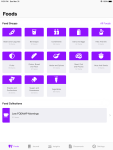
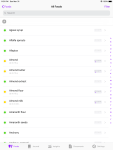
Throughout the experimentation, the agent successfully executed difficult test scenarios, including complex UI interactions, adaptive behavior based on changing layouts, and long sequences of actions in a dynamic environment that would require intricate scripting in conventional automation frameworks.
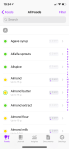
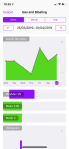
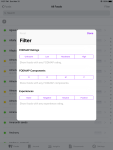
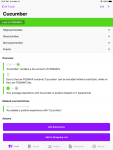
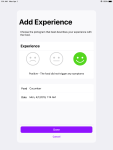
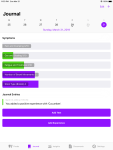
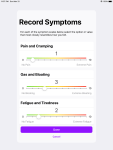
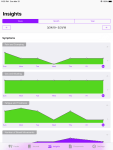
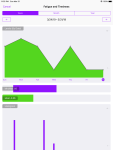
Moreover, the AI agent’s ability to process both screenshots and textual metadata enabled it to make contextually informed decisions, which was particularly invaluable in validating aspects of the UI that are traditionally difficult to test, such as ensuring that graphs, images, or other visual elements are rendered correctly.
Overall, the experimental results validate the effectiveness of this approach, demonstrating that an AI-powered UI testing agent can be implemented effectively using current LLM technology.











 Hundredeni